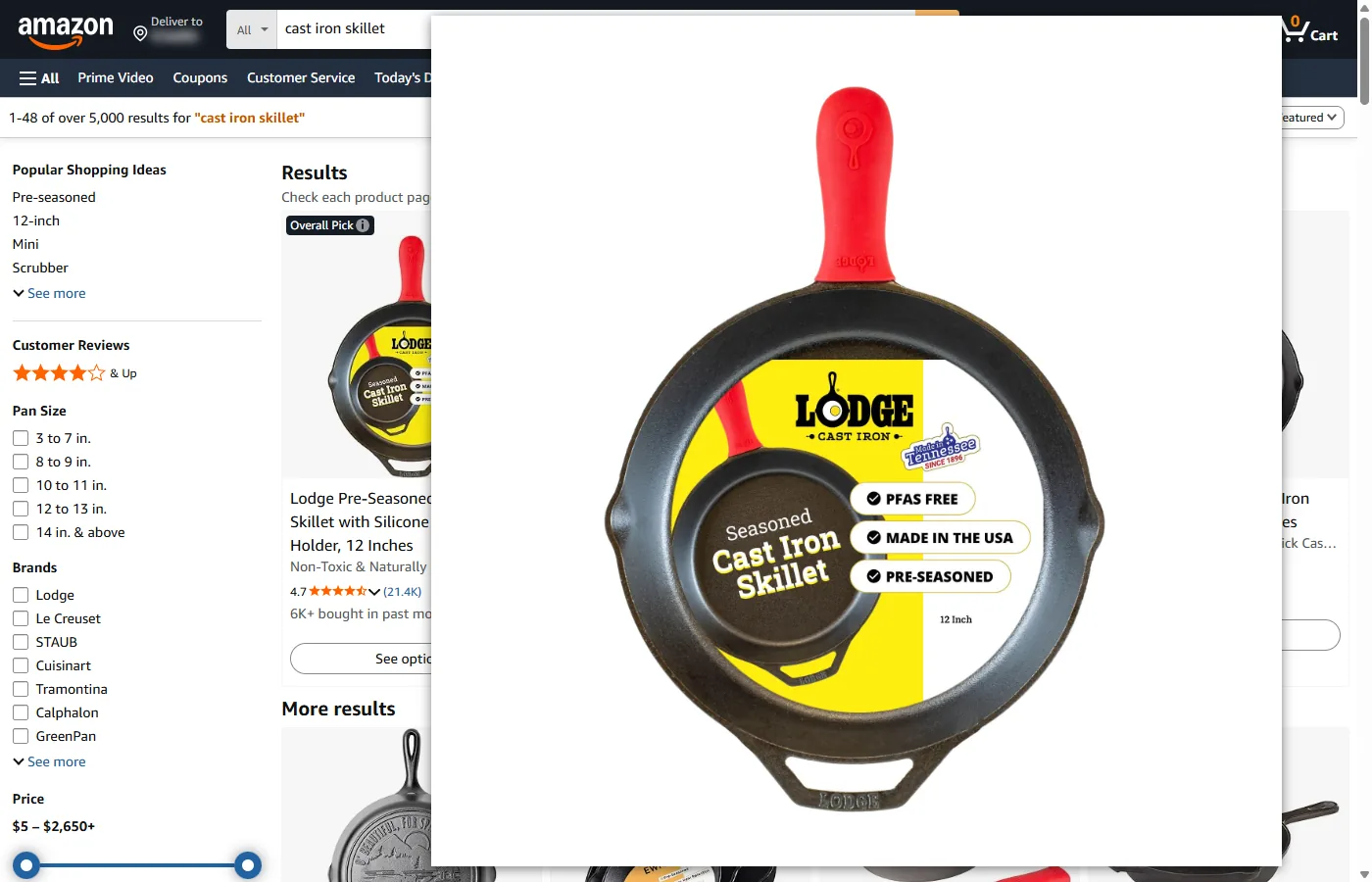
Every Amazon product photo has a size code in its address, just before .jpg, such as ._AC_SX679_. Open the photo in its own tab, delete the code, and press Enter: what loads is the file the seller uploaded, often larger than anything Amazon shows on the page. Amazon’s own zoom stops at 1,500 pixels, and clothing and shoe listings have no zoom at all. With Bellevue, hold Alt over a photo in the search results and the upload appears in a popup, without opening the listing.
Every size below was checked on 5 October 2026 on amazon.com, in Chrome, in a 1400 × 900 window at 100% scaling: product photos signed out, review photos signed in.
What the code in an Amazon image address means
The letters and numbers between ._ and _.jpg tell Amazon’s image server what size of copy to make. Amazon’s documentation for its product API describes one of them: the sizes “are specified by the _SLXXX_ suffix in the URL, where XXX is the number of pixels on the longest side of the image” (Amazon Creators API, Images). The other codes, measured on the copies they return, work the same way: SX sets the width, and SY and UY the height.
Here is one photo of a Dell laptop under the codes Amazon uses for it:
| Address ends in | Where Amazon uses it | Size in pixels |
|---|---|---|
._AC_UY218_.jpg |
Search results | 339 × 218 |
._AC_SY450_.jpg |
The listing’s main image | 700 × 450 |
._AC_SL1500_.jpg |
Amazon’s zoom | 1500 × 964 |
._AC_.jpg |
— | 2378 × 1529 |
.jpg, no code |
— | 2560 × 2560 |
Copies with AC in the code come with the white border around the product cropped off. The seller uploaded this laptop on a 2560-pixel white square, and every AC copy is cut down to the laptop itself, which is why ._AC_.jpg is wider than it’s tall. The server doesn’t make a copy larger than the upload: ._SL5000_ returns the same 2560 × 2560 file as no code at all.
Open the full-size image by editing its address
From the search results:
- Right-click a product photo and choose Open image in new tab.
- In the new tab’s address, delete everything from
._up to the last_before.jpg, so that…/I/71d6CcN8Q5L._AC_UY218_.jpgbecomes…/I/71d6CcN8Q5L.jpg. - Press Enter. Chrome shows the image’s size in the tab title.
To keep the white border off, delete only the part after AC, leaving …/I/71d6CcN8Q5L._AC_.jpg. Once the file is open, Save image as saves it, and Chrome’s own viewer zooms and pans in the image.
On a listing, the main image is harder to reach. While the pointer is over it, Amazon’s magnifier covers it, so a right-click lands on the magnifier rather than the photo. Click the image instead. Amazon opens a larger gallery view, and a right-click on the picture there gives you the ._AC_SL1500_ copy to edit. On clothing listings there is no magnifier, and a right-click on the main image reaches it directly.
Where Amazon’s zoom stops
Amazon’s zoom shows the ._AC_SL1500_ copy: 1,500 pixels on the long side at most. When you point at a listing’s main image, the zoom pane beside it loads that copy, and clicking the image opens a gallery view that shows the same one. When the seller uploaded more than 1,500 pixels, the rest never appears on the listing.
For the first five results of three searches, the table gives the long side of the copy in the search results, of the copy in Amazon’s zoom, and of the product in the seller’s upload, with the white border cropped:
| Search | Search results load | Amazon’s zoom shows | The product in the upload |
|---|---|---|---|
| laptop | 280, 252, 282, 276, 339 | 1500, 1500, 1500, 1500, 1500 | 1500, 1678, 1715, 1500, 2378 |
| mens rain jacket | 320, 320, 320, 320, 320 | no zoom | 1901, 2400, 1905, 1525, 2060 |
| cast iron skillet | 320, 320, 320, 320, 320 | 1500, 1500, 966, 1500, 1500 | 1882, 1946, 966, 1863, 2084 |
Long side in pixels, read from the decoded images. On a high-density screen, the search results load copies up to three times as large.
In 7 of the 10 laptops and skillets, the upload holds more of the product than Amazon’s zoom can show, with a long side up to 1.6 times as long, for the fifth laptop. In the other three, the seller uploaded 1,500 pixels or less, and the zoom already shows everything there is.
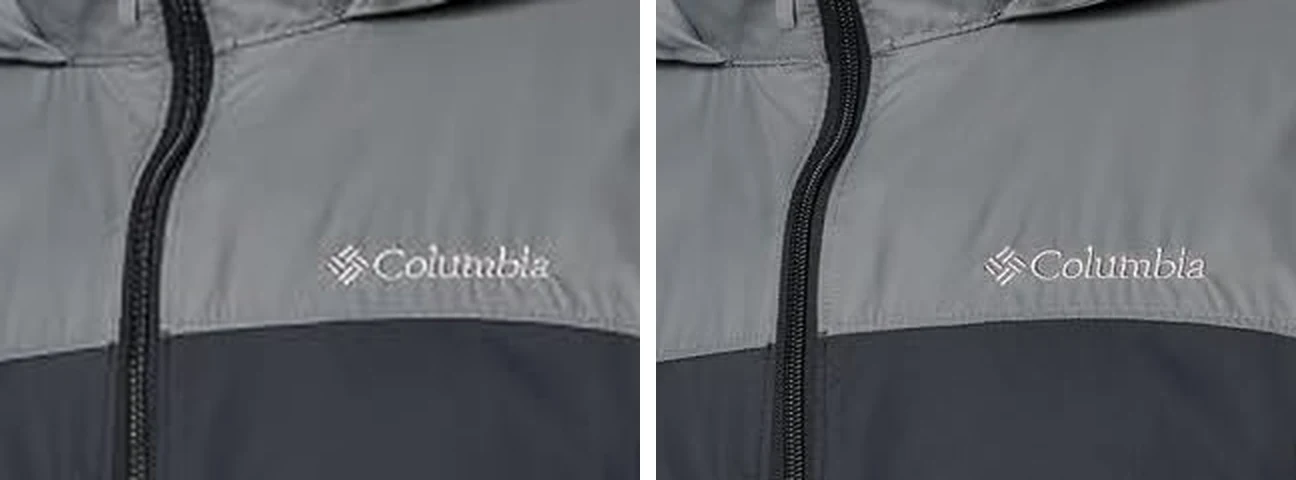
None of the five rain jackets had a zoom, and neither did any of 12 more clothing and shoe listings: the first three results for womens dress, mens t shirt, running shoes and womens jeans. On the jacket listings, pointing at the main image did nothing and clicking it opened no gallery, so the largest view the listing gives is the main image itself. For the first jacket, that’s a copy 522 pixels wide, shown about 240 pixels wide on the page, while the upload has the jacket 881 pixels wide and 1901 tall.
Some uploads are small to begin with. Amazon asks sellers for “images larger than 1,000 pixels on each side to allow for zoom” but accepts images “500 to 10,000 pixels on their longest side” (Amazon, December 2024). When the upload is that small, there is no larger copy to find by any method.
Customer review photos
Photos in customer reviews have the same size code, and Amazon shows them smaller still. Signed out, the listing showed no individual reviews, so these were checked signed in.
- On the listing, the photos in the reviews load as copies 500 pixels tall (
._SY500_), and clicking one shows that same copy. - On the product’s reviews page (the Lodge skillet’s, with photos only), the thumbnails are 88 pixels tall, and their code has no closing underscore:
._SY88.jpg. Delete from._to.jpgall the same. Clicking a thumbnail there opens the upload itself.
For the first eight review photos of the Lodge skillet, the uploads were 1885 × 1060 (six of them), 2055 × 972 and 1330 × 1503, each with a long side about two to three times as long as the copy on the listing.
Full-size Amazon images with Bellevue
With Bellevue installed, hold Alt over a photo in the search results. The seller’s upload appears in a popup beside the cursor, without opening the listing or editing an address. Bellevue removes the size code the way the steps above do, so the popup shows the upload as the seller sent it, white border included. In all 15 results in the table, the popup showed the upload.
- Tap Ctrl over a photo to open it full-screen, where the mouse wheel zooms in toward the cursor. Tap again to close it.
- A listing’s main image works too, Amazon’s magnifier and all: the popup appears over Amazon’s zoom pane. On clothing and shoe listings, it’s the only zoom there is.
- Review photos open at their upload size from the listing and from the reviews page’s thumbnails.
- Right-click → View image in current tab opens the upload in the same viewer.
Where Bellevue stops:
- The small pictures beside a listing’s main image are separate files of about 500 pixels, not copies of the large ones, so the popup over them is no larger. Point at one so Amazon puts it in the main spot, then hold Alt over the main image.
- Uploads of 1,500 pixels or less. Bellevue shows the same pixels as Amazon’s zoom, just without opening the listing.
IMDb’s photos come from the same image server, and the same rule applies there: the first image in the photo gallery of The Shawshank Redemption opens at 1200 × 1800. The guide to full-size images on hover covers the popup’s settings, and Bellevue’s hover zoom the other sites it works on.
Other shops
Bellevue opens originals on eBay, Etsy, AliExpress and Walmart too. Each shop puts its own size code in its image addresses, and Bellevue knows each one.
Summary
- Delete the code between
._and.jpgin an Amazon image address to open the seller’s upload, or keep._AC_to crop its white border. - Amazon’s zoom stops at 1,500 pixels. In 7 of the 10 laptop and skillet results checked, the upload was larger than that. When it isn’t, the zoom already shows all of it.
- None of the 17 clothing and shoe listings checked had a zoom, and on the jacket listings the main image on the page was the largest view.
- Review photos work the same way: the listing shows them 500 pixels tall, and the uploads checked had a long side two to three times as long.
- With Bellevue, hold Alt over a photo in the search results to see the upload without opening the listing, and tap Ctrl to open it full-screen.
See Amazon product photos at full size. Install Bellevue →