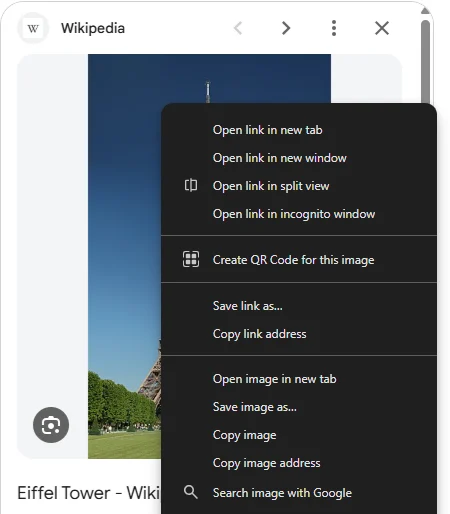
Google Images has had no View image button since February 2018, but the file is still one right-click away. Click a result, wait until the preview on the right turns sharp, then right-click it and choose Open image in new tab. That opens the image from the site Google found it on, at the size that site serves it. If the preview stays blurry, Google has no working link to the file, and it has to come from the site itself. With Bellevue, hold Alt over a result in the grid and the original appears in a popup, without a click.
Every size and timing below was checked on 23 September 2026 in Chrome, signed in to Google, in a 1400 × 900 window.
Why the preview starts blurry
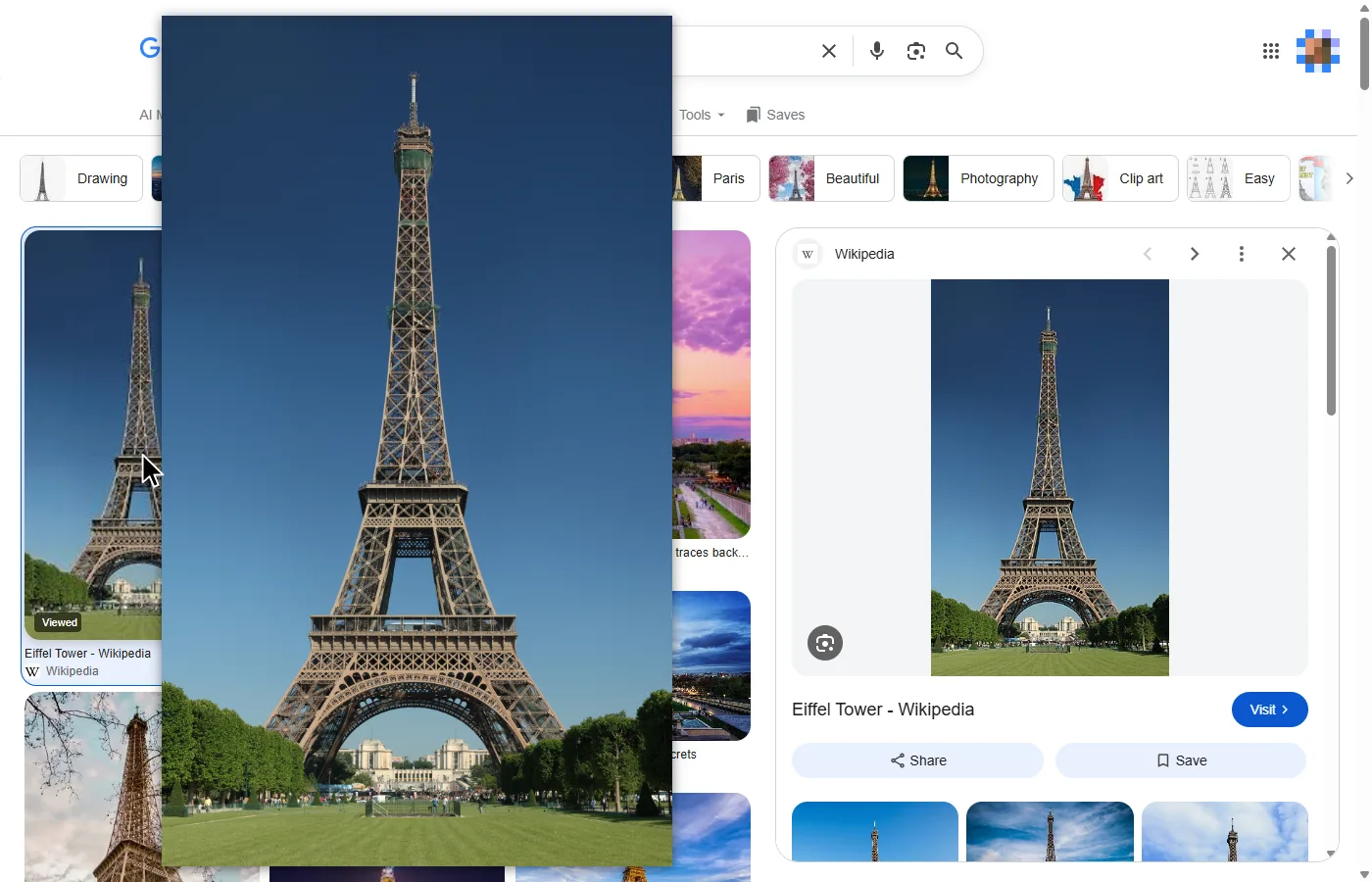
Google shows two different images. The grid shows Google’s own small copy of each image, served from encrypted-tbn0.gstatic.com, and the preview starts with the same copy. When you click a result, Google stretches that copy across the preview panel, then replaces it with the file from the website the image is on. Until then, the preview is a thumbnail enlarged, which is why it looks soft.
The swap is quick. Of the 20 previews for the first 10 results of eiffel tower and of red fox, 19 switched to the site’s file between 0.4 and 3 seconds after the click. The one that never switched came from an Instagram post: Google’s address for it leads to the post page rather than to an image, so the preview stays on Google’s 399-pixel copy.
Right-click the preview before the swap, or on a result that never swaps, and Open image in new tab opens Google’s thumbnail. For the first eiffel tower result, that’s 174 × 290 pixels. For a result that never swaps, the file has to come from the page itself: click Visit and open the image there.
Open the full-size image without an extension
- Search, then switch to Images.
- Click a result. The preview panel opens on the right.
- Point at the preview. Google shows the file’s size in its bottom-right corner, such as
1,600 × 1,024. - Once the preview is sharp, right-click it and choose Open image in new tab, or Copy image address to keep the link.
Two things catch people out:
- Clicking the preview opens the website in a new tab, not the image, the same as Visit.
- Some sites send the file as a download. The 3840-pixel wallpaper from wallpapershome.com in the table below showed in the preview, but its server marks the file as an attachment, so opening it in a new tab downloaded it instead.
The new tab gets the file the site serves, and that isn’t always the site’s largest. Wikipedia articles use resized copies of photos on Wikimedia Commons, so the first eiffel tower result opens 330 pixels wide, while the photo on Commons is 2900. Pexels gave Google a 500-pixel copy of a 2700-pixel photo.
What happened to View image
Google removed the View image button from Google Images in February 2018 (9to5Google, 15 February 2018). Days earlier, Getty Images had told its contributors that Google had agreed to remove it and to make the copyright notice more prominent (The Register, 12 February 2018). The right-click menu is what’s left.
Does the View Image extension still work?
Not on today’s Google Images. View Image, the free, open-source extension the 2018 guides recommend, is still in the Chrome Web Store at version 5.2.0, last updated on 26 June 2024. Checked on 23 September 2026 with the store’s current build loaded into Chromium 149, signed out, it added no button to the preview panel for any of six results on two searches. Its issue tracker has reports of it failing from June 2024 on, including #288, “Chrome: Not working anymore”, from October 2025.
Other extensions with the same aim are still listed, such as View Image Button. The right-click method above does the same job without one.
When the source image is small
The preview can only be as big as the website’s copy. For a bigger one, search by size, or look for the same picture on other sites.
- Tools → Size → Large. Under the search box, Tools opens Size, which offers Any size, Large, Medium and Icon.
imagesize:for an exact size, in width × height:red fox imagesize:1920x1080. Google documents the operator. Of the first eight results for that search, six previews loaded, and all six were 1920 × 1080. The other two stayed on Google’s thumbnail.- Other copies with Google Lens. Click the lens button in the preview’s bottom-left corner, then Exact matches. It lists the pages that carry the same picture, with the size of each copy. For the first red fox result, a 1600-pixel photo on Britannica, the list included a 1,920 × 1,440 copy on a wallpaper site.
Full-size Google Images results with Bellevue
With Bellevue installed, hold Alt over a result in the grid. The file appears in a popup beside the cursor, without clicking the result or waiting for the preview. Google adds the file’s address to a result’s link as soon as the pointer is over it, and Bellevue opens that address. Where the address is a resized copy on a site Bellevue knows, such as Wikimedia Commons, Pexels or Etsy, it opens the original instead.
- Tap Ctrl over a result to open it full-screen, then zoom and pan in the image once it’s open. Tap again to close it.
- The preview panel works too. Hold Alt over it while it’s still blurry and the popup changes to the site’s file when the preview does.
- Right-click → View image in current tab, on a grid result or on the sharp preview, opens the same file in the viewer.
- Open image in new tab on a Wikipedia or Pexels preview loads the original too, because Bellevue changes the address before the tab loads.
For the first three results of five searches, the table gives the width of Google’s thumbnail, the width of the preview after the swap, and the width in Bellevue’s popup, holding Alt over the result in the grid before clicking it. The preview is also what Open image in new tab opens without an extension, except for the 3840-pixel wallpaper, which downloads:
| Search | Google’s thumbnail | Preview and new tab | Bellevue’s popup |
|---|---|---|---|
| eiffel tower | 174, 700, 491 | 330, 1500, 1976 | 2900, 1500, 1976 |
| the starry night | 252, 738, 508 | 500, 1200, 1280 | 252, 1200, 4331 |
| mountain wallpaper 4k | 415, 168, 738 | 500, 2160, 3840 | 2700, 2160, 3840 |
| nike air max 90 | 399, 399, 399 | 1872, 1872, 1872 | 1872, 1872, 1872 |
| red fox | 692, 365, 682 | 1600, 1080, 1400 | 1600, 1267, 1400 |
Widths in pixels, read from the decoded images.
In 10 of the 15, the popup shows the same file as the preview, and what Bellevue saves is the click and the wait. In four, the site gives Google a resized copy and the popup is larger: two Wikipedia results, one from Pexels and one from Etsy. The fifteenth is where Bellevue does worse. The first result for the starry night links to a 696 MB scan on Wikimedia Commons, 44,567 × 35,291 pixels, which didn’t load in the popup, so it fell back to Google’s 252-pixel thumbnail.
Where Bellevue stops:
- Results that never swap. For the Instagram result among the eiffel tower results, Bellevue shows Google’s 399-pixel thumbnail too.
- Google Lens. Bellevue doesn’t open originals from Lens results.
The guide to full-size images on hover covers the popup’s settings, and Bellevue’s hover zoom the other sites it works on.
Other image search engines
Bing Images still has the button Google removed: open a result, and View image is at the top of the detail view. Bellevue’s popup works on Bing Images too, and on DuckDuckGo, Yahoo Images, Yandex Images, Brave Search, Ecosia, Baidu Images and Kagi.
A note on using the images
The About item in a preview’s three-dot menu opens with “Images may be subject to copyright.” To find images you can reuse, Tools → Usage rights filters for Creative Commons or commercial licences, and a result then shows License details below its preview (Google’s help). Opening the full-size file doesn’t change who owns it.
Summary
- Click a result, wait until the preview is sharp (0.4 to 3 seconds in these checks), then right-click it and choose Open image in new tab.
- A blurry preview is Google’s thumbnail. If it never sharpens, click Visit and open the image on the page.
- For a bigger copy, use Tools → Size → Large,
imagesize:, or Lens’s Exact matches. - With Bellevue, hold Alt over a result in the grid to see the file without a click, and tap Ctrl to open it full-screen.
Open Google Images results at full size. Install Bellevue →