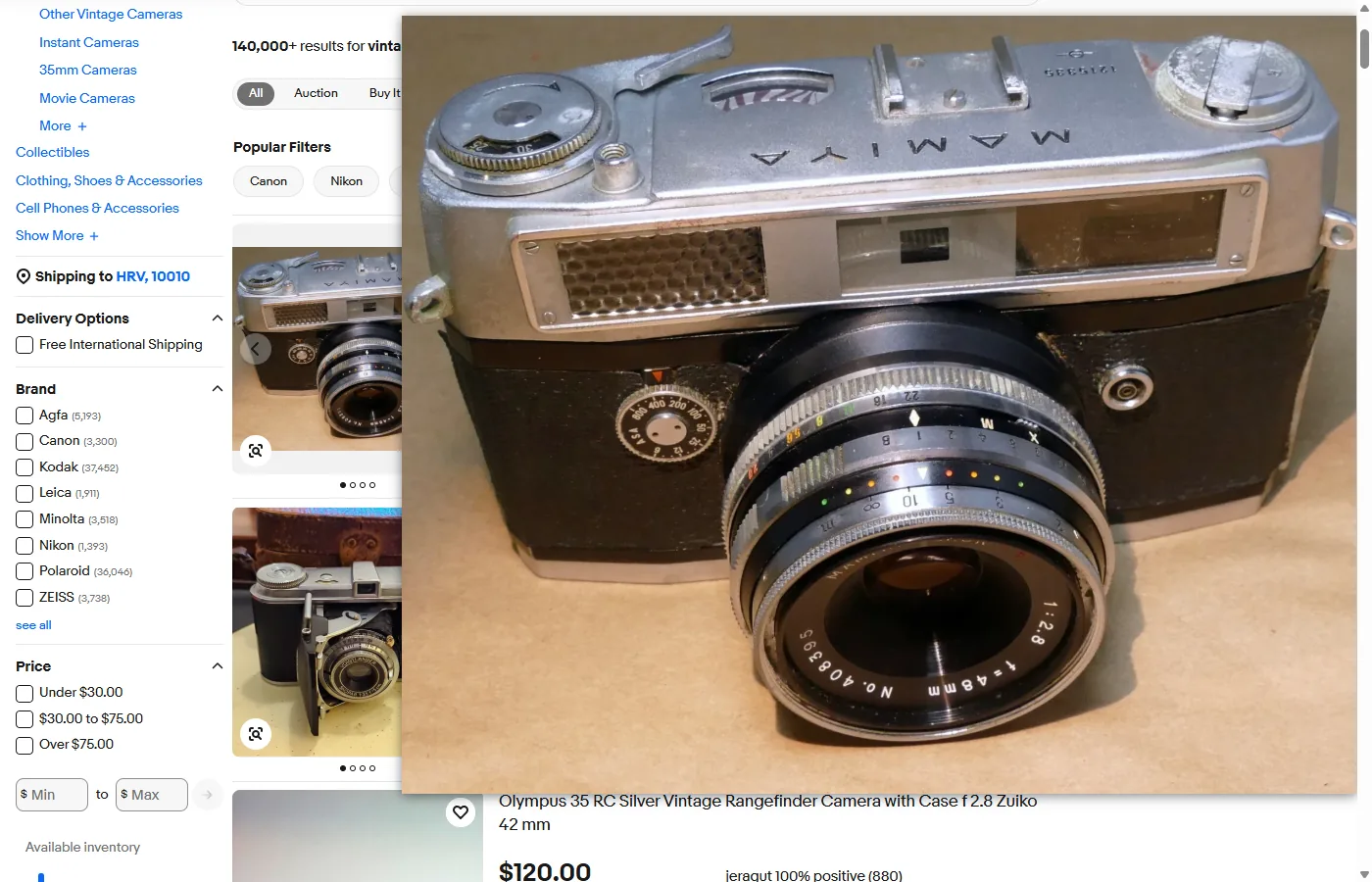
Every eBay photo address ends in a size code such as s-l500.webp, where the number is the long side of the photo in pixels. Open the photo in its own tab, change the code to s-l1600, and press Enter: what loads is the largest copy eBay’s image server returns, up to three times as wide as the copy in the search results. On the listing itself, eBay’s gallery already shows that copy, so there’s nothing larger to find there. With Bellevue, hold Alt over a photo in the search results and the 1,600-pixel copy appears in a popup, without opening the listing.
Every size below was checked on 7 October 2026 on ebay.com, signed out, in Chrome, in a 1400 × 900 window at 100% scaling.
What s-l1600 means in an eBay image address
The number after s-l is the length of the photo’s long side, in pixels. eBay’s image server makes a copy at whatever size the address asks for, from the same photo. eBay doesn’t document the code, but the copies it returns show how it works. Here is one photo of a film camera, 3 by 4, under the codes eBay’s own pages use for it:
| Address ends in | Where eBay uses it | Size in pixels |
|---|---|---|
s-l140.webp |
The small pictures beside a listing’s photo | 105 × 140 |
s-l500.webp |
Search results | 375 × 500 |
s-l1200.webp |
Category pages | 900 × 1200 |
s-l1600.webp |
The listing and its gallery | 1200 × 1600 |
s-l2000.webp |
— | 1200 × 1600 |
s-l3000.webp |
— | 80 × 80 |
1,600 is as far as it goes. s-l2000 and s-l2400 return the same file as s-l1600, and s-l3000 returns a small grey “no picture” icon instead of the photo. The server doesn’t make a copy larger than the photo the seller uploaded, either: an 800-pixel upload stays 800 pixels at s-l1600.
The extension at the end of the address picks the format. eBay’s pages load .webp, and the same address ending in .jpg returns a JPEG of the same size: 318 KB for the camera above, against 203 KB for the WebP.
Open an eBay photo full-size by editing its address
From the search results:
- Right-click a result’s photo and choose Open image in new tab.
- In the new tab’s address, change
s-l500tos-l1600, so that…/g/Ec8AAOSw3GVmhHTT/s-l500.webpbecomes…/g/Ec8AAOSw3GVmhHTT/s-l1600.webp. - Press Enter. Chrome shows the photo’s size in the tab title.
To save it as a JPEG rather than a WebP file, change .webp to .jpg as well, then use Save image as. Once the photo is open in its own tab, Chrome’s viewer zooms and pans in it.
On a listing, a right-click on the main photo reaches the photo itself, and Open image in new tab opens the s-l1600 copy straight away, with nothing to edit.
For the first five results of three searches, the table gives the long side of the copy in the search results and of the s-l1600 copy:
| Search | Search results load | s-l1600 returns |
|---|---|---|
| vintage camera | 500, 500, 500, 500, 500 | 1600, 1540, 1600, 1600, 1600 |
| mens watch | 500, 500, 500, 500, 500 | 1600, 1600, 800, 693, 1600 |
| morgan silver dollar | 500, 500, 500, 500, 500 | 1600, 1139, 902, 1599, 1599 |
Long side in pixels, read from the decoded images. eBay orders its results differently from one visit to the next, so the same searches can show other listings.
The search results show each photo about 256 pixels wide, from a 500-pixel copy. In 11 of the 15 results, the s-l1600 copy was 1,540 pixels or more on its long side, three times as long. In the other four, the seller uploaded less, from 693 to 1,139 pixels. eBay accepts photos as small as 500 pixels and recommends “about 1600 x 1600” (eBay, Adding pictures to your listings). When the upload is small, there’s no larger copy to find by any method.
What eBay’s own viewer shows
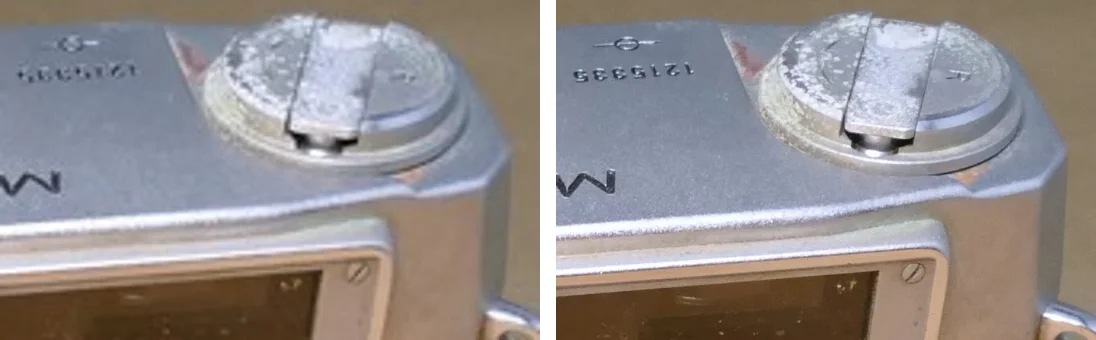
On the listing, eBay already shows the s-l1600 copy, the largest it has. The main photo loads it, and so do the two ways eBay offers to look closer:
- Clicking the main photo zooms it in place, to about its real size, and the zoomed part follows the pointer. Click again to zoom back out.
- The expand button in the photo’s corner opens a gallery of all the listing’s photos. The gallery fits each photo to the window, which in a 1400 × 900 window shows a 1600-pixel photo at about 60% of its size. Clicking the photo there zooms it to about 1.7 times its real size, so past a point the gallery is enlarging pixels rather than showing more.
There’s no zoom on hover. eBay sellers reported the mouse-over zoom missing from listings in 2023 (Value Added Resource), and on the Mamiya camera’s listing, pointing at the main photo showed only the expand and watch buttons.
Small uploads get the same zoom and gallery. On a listing whose photo was uploaded at 693 pixels, clicking it enlarged it just the same, from the same 693 pixels.
Full-size eBay photos with Bellevue
With Bellevue installed, hold Alt over a photo in the search results. The s-l1600 copy appears in a popup beside the cursor, without opening the listing or editing an address. Bellevue changes the size code the way the steps above do. In all 15 results in the table, the popup showed the s-l1600 copy.
- Tap Ctrl over a photo to open it full-screen, where the mouse wheel zooms in toward the cursor. Tap again to close it.
- Category pages load copies 1,200 pixels long, larger than the search results, so the popup there adds less.
- On a listing, the small pictures beside the main photo are copies of the same photos, so the popup over each one shows its 1,600-pixel copy. Over the main photo, it shows the same copy eBay loaded, without opening the gallery.
- Right-click → View image in current tab opens the 1,600-pixel copy in the same viewer.
- Other eBay sites, such as ebay.co.uk, load their photos from the same image server, with the same size codes.
Where Bellevue stops:
- Uploads smaller than 1,600 pixels. The popup shows the upload, which is what eBay has.
- Photos in an item’s description. eBay shows the description in a frame of its own, and Bellevue’s popup doesn’t work inside frames. A right-click and Open image in new tab still works there. None of the listings checked had photos in their descriptions.
The guide to full-size images on hover covers the popup’s settings, and Bellevue’s hover zoom the other sites it works on.
Other shops
Amazon works the other way round: its zoom stops at 1,500 pixels while the upload is often larger, and deleting the size code from the address opens the upload. The guide to full-size Amazon product images measures that. Bellevue opens originals on Etsy, AliExpress and Walmart too, each with its own size code.
Summary
- Change
s-l500tos-l1600in an eBay image address to open the largest copy eBay has. In 11 of the 15 search results checked, it was three times as long as the copy the results show. - 1,600 pixels is the limit. Larger codes return the same file or a placeholder, and small uploads stay small.
- On the listing, eBay’s photo and gallery already show the 1,600-pixel copy, and a right-click opens it in its own tab with nothing to edit.
- Change
.webpto.jpgto save the photo as a JPEG. - With Bellevue, hold Alt over a photo in the search results to see the 1,600-pixel copy without opening the listing, and tap Ctrl to open it full-screen.
See eBay listing photos at full size. Install Bellevue →