To see a Reddit image at full size, open its post and click the image. Reddit’s lightbox loads the original from i.redd.it, for a single image and for each image in a gallery, and right-clicking it there opens or saves the full-size file. Opening the image in a new tab straight from the feed or the post gets a resized copy from preview.redd.it instead. To open a banner, which Reddit doesn’t offer an image menu for, find its address in the banner element’s style attribute (details below).
An image usually gets its own tab so its details can be seen, and on Reddit that tab isn’t just the image. It’s a Reddit page with navigation around the picture, a zoom that only switches between two sizes, and a resized copy instead of the file that was uploaded.
This guide covers what that page gets in the way of, how to reach the full-size file by hand, and what the Bellevue extension changes in Chrome, Edge and Firefox.
Open Reddit originals full-screen, with smooth zoom. Install Bellevue →
Reddit’s image page
Right-click an image in the feed or on a post and choose “Open image in new tab”, and the tab doesn’t show the file on its own. It opens a Reddit page with the image embedded in it, at an address like https://www.reddit.com/media?url=https%3A%2F%2Fpreview.redd.it%2F....
Header and footer
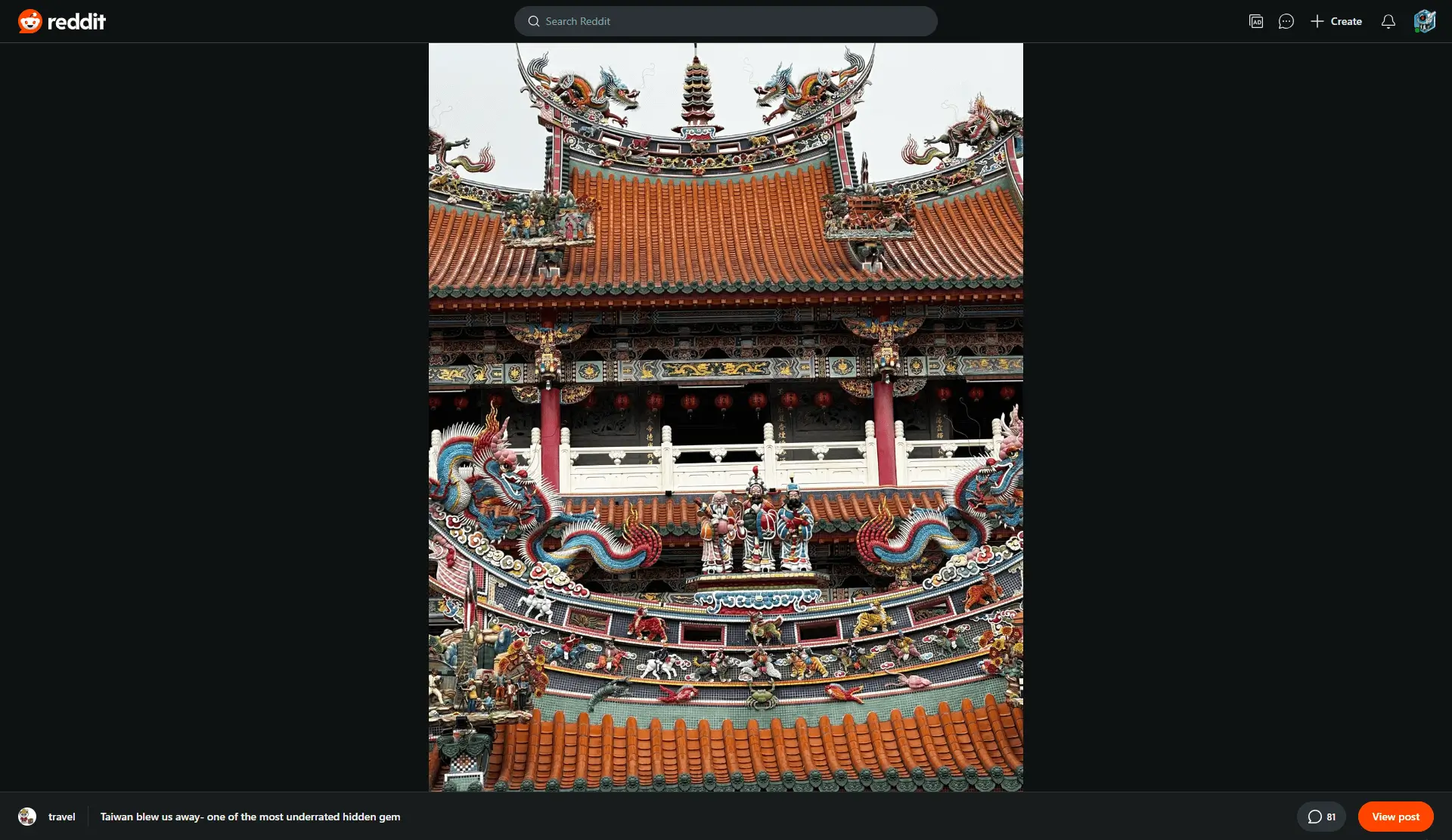
The navigation header and footer take space away from the image.
Limited zoom
If the image is larger than the window, clicking switches between fitting it to the window and showing it slightly enlarged. There’s no further zoom and no smooth zoom control.
Reduced image size
The image on that page is a copy from preview.redd.it, resized to a set width. The picture as it was uploaded sits on i.redd.it.
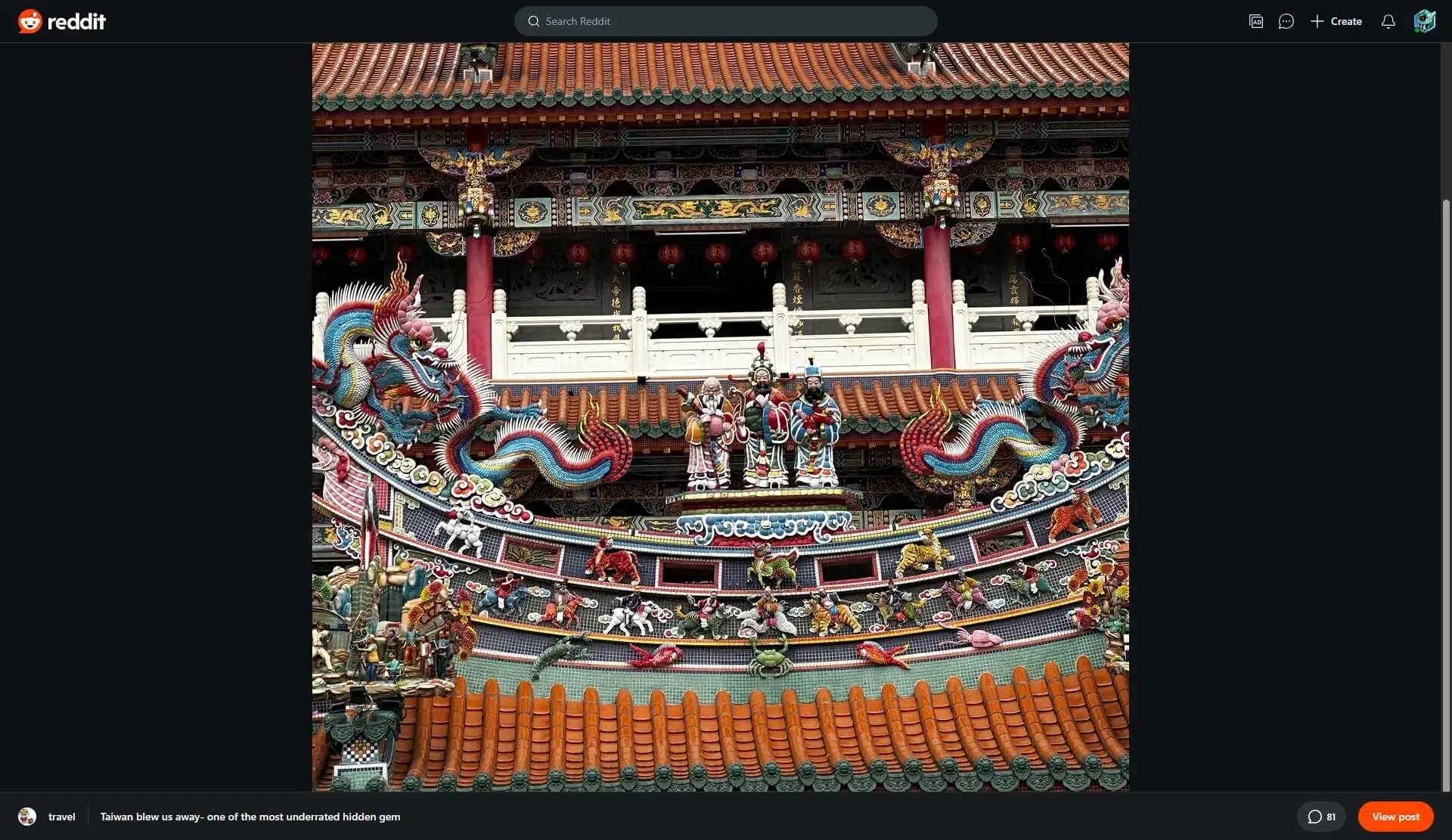
preview.redd.it copy, zoomed in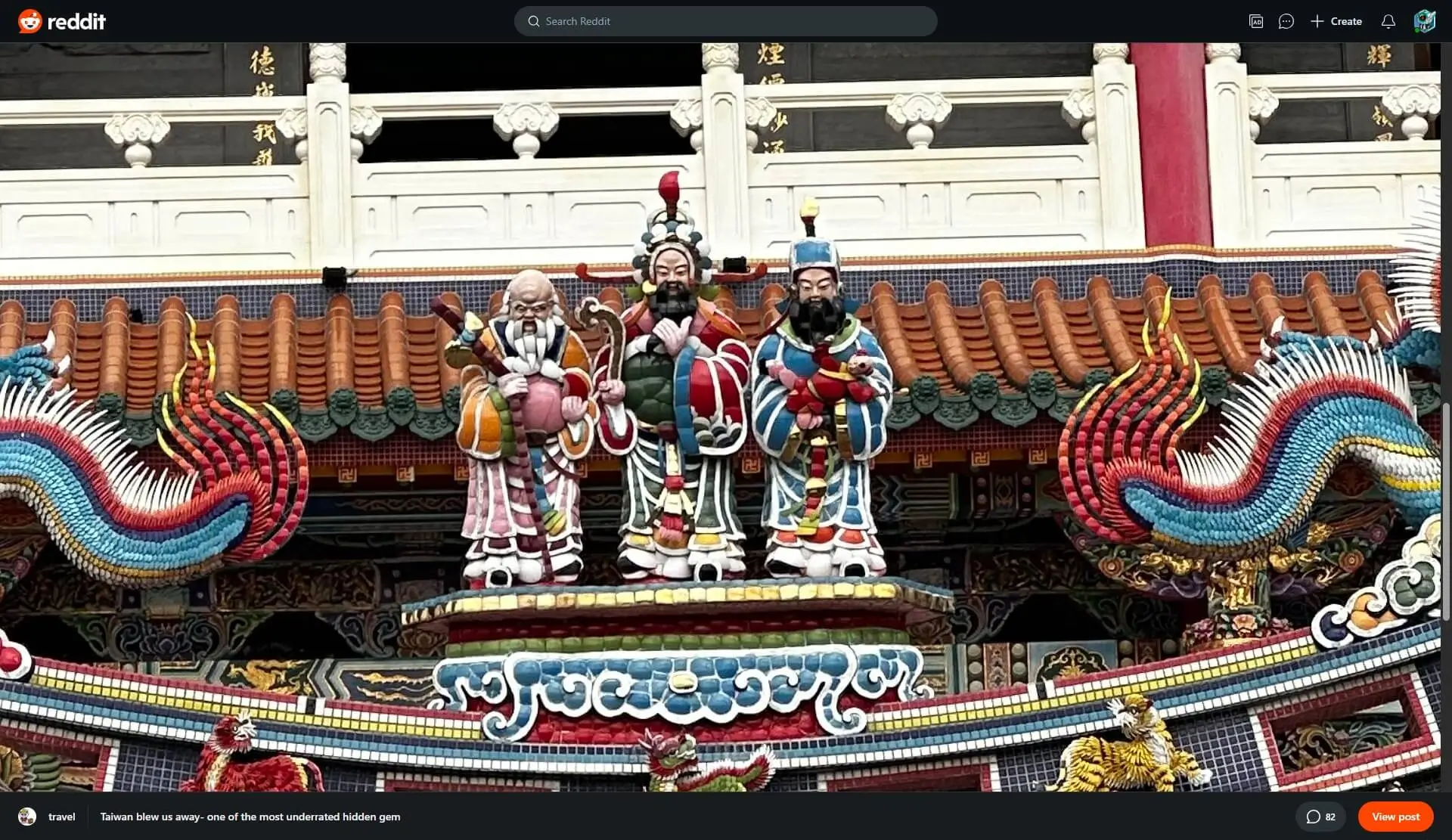
i.redd.it original, zoomed inHow much is lost depends on the upload. These are the four top photo posts of the past month on r/LandscapePhotography, comparing the copy the subreddit feed loaded with the i.redd.it original, measured signed in on 9 October 2026 in a 1400×900 window:
| Post | Feed copy (preview.redd.it) |
Original (i.redd.it) |
|---|---|---|
| Lækjavík, Iceland | 1080×1440 | 2600×3467 |
| Autumn on the shore of Lake Yamanaka, Japan | 1080×1440 | 3979×5306 |
| Kirkjufell, Iceland | 1080×1080 | 4949×4949 |
| Morning mist | 1080×1440 | 3024×4032 |
Sample: Lækjavík, Lake Yamanaka, Kirkjufell, Morning mist.
The Kirkjufell photo has 21 times the pixels of the copy in the feed. Why that copy looks soft, and what Reddit does to the upload itself, is measured in does Reddit compress images.
Which copy loads depends on the window. A post page lists each photo at 320, 640 and 1080 pixels wide and loads the one that suits the space it has, so “Open image in new tab” on the Lake Yamanaka post gave the 1080×1440 copy in a 1400×900 window, and a 640×853 copy in a window 1000 pixels wide.
Basic galleries
A gallery’s lightbox loads each image’s original, but it zooms no further than a single image’s: a click switches between fitting the window and actual size. Opening a gallery image in a new tab leads to the same image page as above, with a resized copy.
Getting the full-size image by hand
Reddit’s lightbox
On a single-image post, click the image to open Reddit’s lightbox. It fills the window without the header and footer, and it loads the i.redd.it original. Clicking the image there switches between fitting the window and actual size; the mouse wheel doesn’t zoom. Right-clicking it gives “Open image in new tab” and “Save image as” for the full-size file. The new tab is Reddit’s image page again, header and footer included, but with the original in it.
Checked signed in, in Chromium on 9 October 2026, on the Lake Yamanaka post: the lightbox loaded the 3979×5306 original and fitted it at 675×900 in a 1400×900 window, and a click showed it at 3979×5306. Its i.redd.it address, opened from a Reddit page, showed the image page with the original.
A gallery’s lightbox loads originals too. On a gallery post checked on 12 October 2026, every slide in the lightbox was an i.redd.it file.
Zooming in Chrome’s own viewer
Reddit’s image page and lightbox stop at actual size. To zoom further, save the original from the lightbox with “Save image as” and drag the saved file into a Chrome tab. Chrome’s own image viewer shows it, the tab title gives its size (rje4lw8wn2rh1.jpeg (3979×5306) for the Lake Yamanaka photo), and page zoom and touchpad pinch zoom work on it. The guide to Chrome’s image viewer covers both.
Opening the i.redd.it address in a tab doesn’t get there, since Reddit answers it with its image page.
Editing the address
Reddit sends any image address typed or pasted, on either host, to its /media page, which shows the image the address names. So swapping preview.redd.it for i.redd.it in the address shows the original. Swap only the host, though: deleting everything after the ? made it fail. The short form https://i.redd.it/<id>.jpeg also works, where <id> is the code after -v0- in the file name. Checked signed in on 9 October 2026: the Lake Yamanaka photo’s swapped address and its short form both showed the 3979×5306 original.
Bellevue on Reddit
With Bellevue installed, Reddit’s image page and lightbox show the original in Bellevue’s viewer. The Reddit image viewer page has a summary.
Open Reddit originals full-screen, with smooth zoom. Install Bellevue →
No header and footer
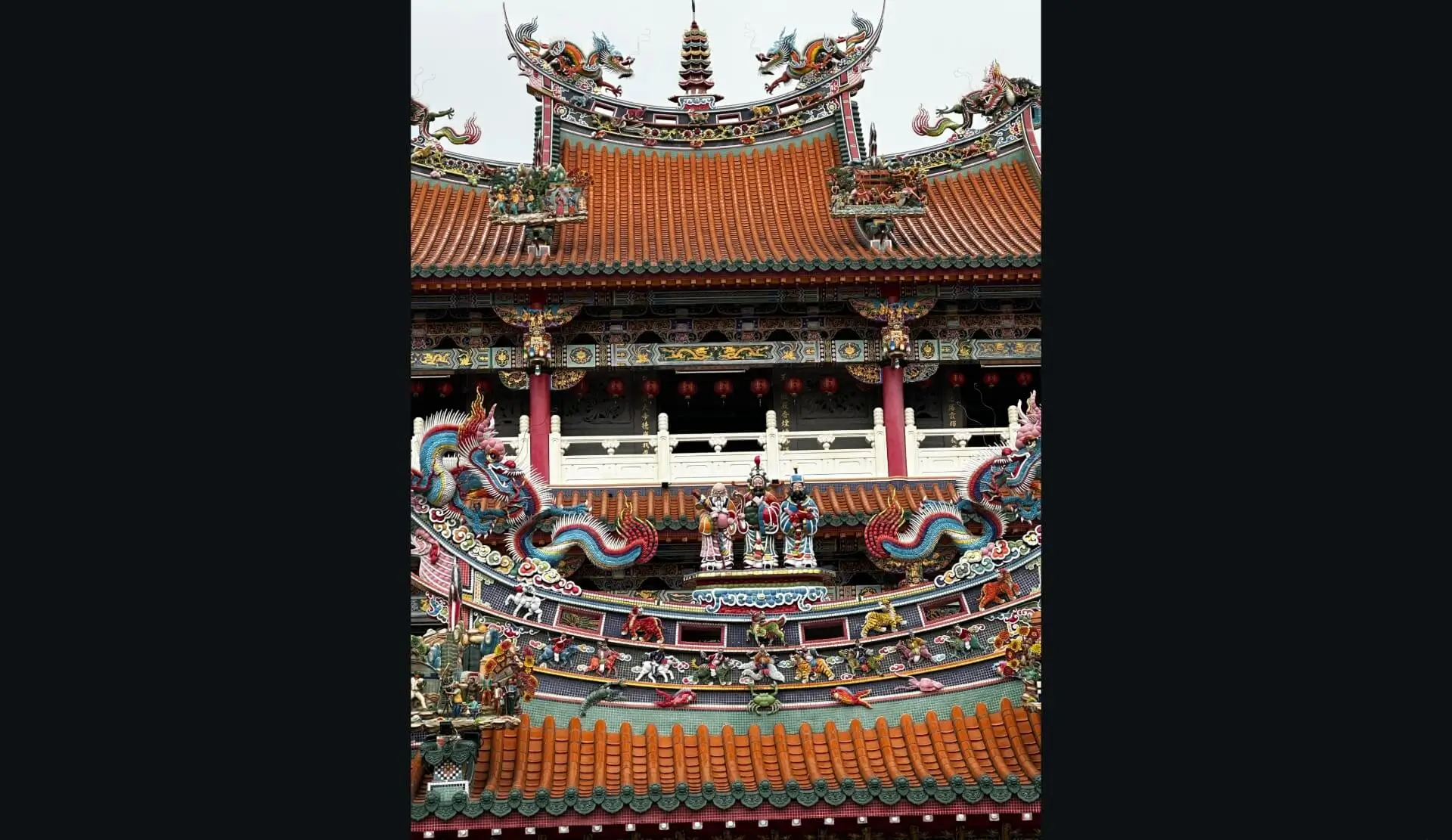
On Reddit’s image page, the header and footer are hidden, and the whole window is available for the image.
The footer links back to the post and its comments, so hovering over where the header and footer were brings them back.
Adjustable zoom
Alongside clicking, scrolling the mouse wheel zooms in smoothly on any part of the image, and dragging moves it around. Bellevue’s other controls, such as keyboard shortcuts and rotation, work on Reddit images too.
Full image size
On the image page, Bellevue swaps the preview.redd.it copy for the i.redd.it original, without editing the address, and in the lightbox, galleries included, it shows the original in its viewer. Checked signed in on 9 October 2026: the Lake Yamanaka photo’s preview.redd.it address opened as the 3979×5306 original.
Improved galleries
Each gallery image opens at full size in the same viewer, with the same controls. The arrow keys move between images without leaving the gallery.
Hover over a feed image
The feed shows preview.redd.it copies too. Hold Alt over an image in the feed and hover zoom shows its i.redd.it original in a popup beside the cursor, without opening the post. Tap Ctrl instead to open the original full-screen in Bellevue’s viewer, galleries included. The guide to full-size images on hover covers both, and the comparison of hover-zoom extensions shows which others reach the i.redd.it original from the feed.
Checked signed in on 9 October 2026, on the first three photo posts in r/LandscapePhotography’s feed in a 1400×900 window: the feed loaded 1080-pixel copies, and the popup showed the originals listed above for Lækjavík, Lake Yamanaka and Kirkjufell, at 2600×3467, 3979×5306 and 4949×4949.
Profile pictures and banners
Profile pictures on Reddit are real images. Right-click one, choose “Open image in new tab”, and the picture opens on its own.
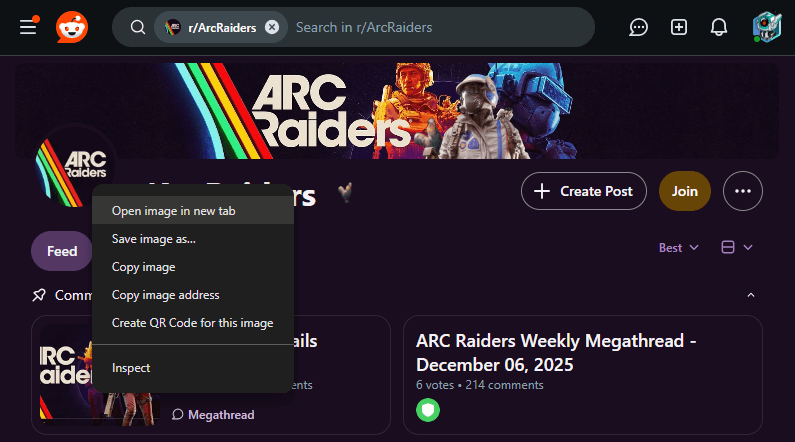
What opens is a square crop, though. Its address ends in a query like ?frame=1&auto=webp&crop=256%3A256%2Csmart&s=..., and deleting everything from the ? on gives the picture as it was uploaded. On two public profiles checked in September 2026, that turned a 1070×1070 crop into the 1206×1190 upload, and a 266×266 crop into a 391×296 one.
Other sites’ profile pictures have their own address edits, and a few have none; the guide to full-size profile pictures covers them.
Banners are a different story. Right-click a subreddit banner or a user’s profile banner and the image options are missing.
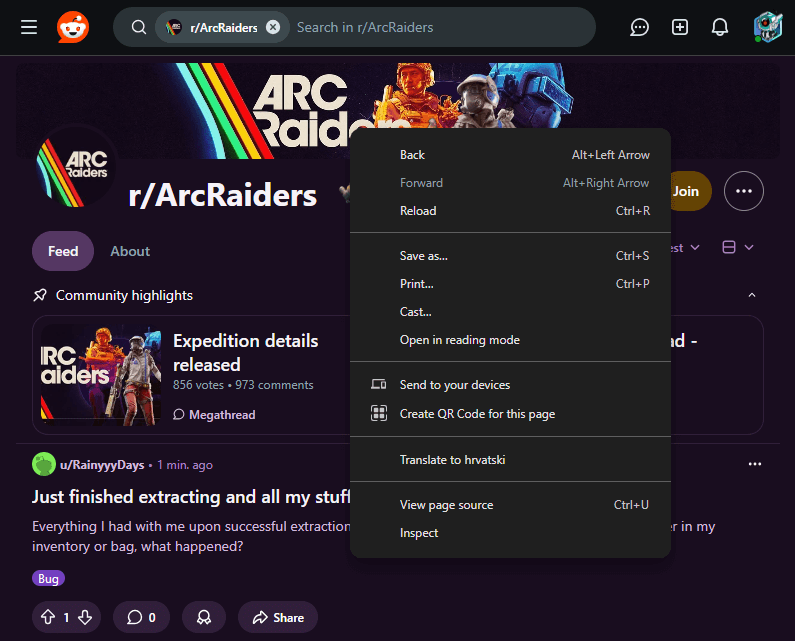
That’s because a banner isn’t an image element at all. Reddit paints it as the CSS background of an ordinary element, and Chrome only offers image options for real images.
Finding a banner by hand
The banner’s address is still in the page:
- Right-click the banner and choose Inspect.
- For a subreddit banner, look at the selected element’s
styleattribute for the--original-bannerproperty. Itsurl(...)is the uploaded banner. The same attribute also lists--small-banner,--medium-banner,--large-bannerand--x-large-banner, which are resized copies. Their widths are fixed by Reddit, not by the upload. On r/LandscapePhotography on 9 October 2026, the upload at--original-bannerwas 9657×2716, and the page displayed--large-banner, a 2176×611 copy of it. Even--x-large-bannerwas only 3600×1012; only--original-bannerfollows the upload’s size. - For a user banner, the address is in the
background-imageproperty of the samestyleattribute. That address is a 1280×384 strip cropped out of the upload, so delete everything from the?on. On one public profile, that turned the strip into the 1536×1024 image it was cut from. - Copy the address from inside
url(...)into a new tab.
With Bellevue
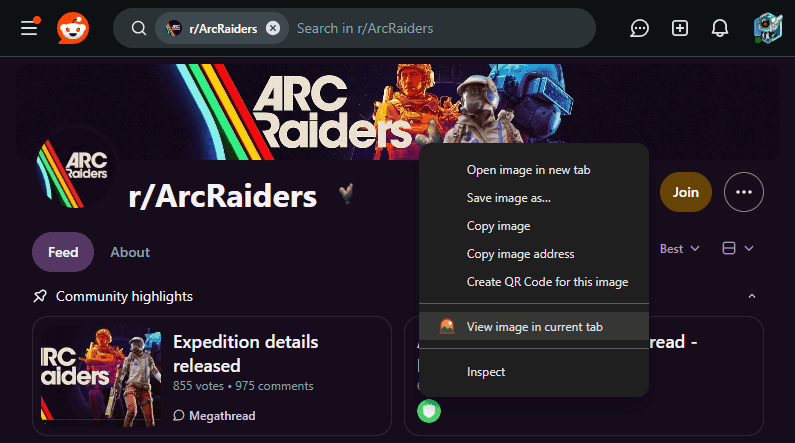
Bellevue reads the same address, drops the crop, and lays an invisible copy of the full banner image over it, so right-click offers the usual image options, including “Open image in new tab”, “Save image as”, and Bellevue’s own “View image in current tab”.
Profile pictures and banners also open uncropped, without editing the address: a tab opened on one is sent to the upload before it loads, and “View image in current tab” shows the upload too. Bellevue drops everything from the ? on, as the steps above do by hand.
Summary
- Reddit’s image page wraps the picture in navigation, caps zoom, and shows a resized copy from
preview.redd.it. - Click the image in a post to open Reddit’s lightbox, which loads the full-size file from
i.redd.it, galleries included. Right-click it there to open or save it. - To zoom past actual size, save the original and open the file in Chrome, where page zoom and pinch zoom work.
- Swapping
preview.redd.itfori.redd.itin the address shows the original. Change only the host and keep the query. - Profile pictures open as square crops. Delete everything from the
?on in the address to get the upload. - Banners are CSS backgrounds. Their addresses are in the element’s
styleattribute, under--original-bannerfor subreddits andbackground-imagefor users. A user banner’s address is a crop too, so drop its query the same way. - In the feed, hold Alt over an image to see its
i.redd.itoriginal in a popup, or tap Ctrl to open it full-screen. - Bellevue shows originals on the image page and in galleries, hides the header and footer, adds smooth zoom, and makes banners openable.
Install Bellevue to get full-size images, smooth zoom and openable banners on Reddit without doing any of this by hand.